
 23:48
23:48
 Jai
Jai
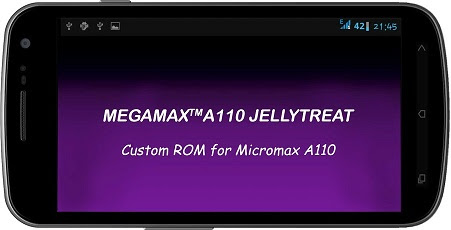

FEATURES:
- All Bloats Removed
- Pre-Rooted
- Zipalingned
- Deodexed
- Super user added
- Aroma Installer options
- 5 launchers options
- Apex, Nova, Holo, Launcher8, Xperia z
- 4 Music Players
- Stock, Sony walkman, miui, Google Music
- 3 Video players
- Stock, Mx player, Easy Player
- 3 Browsers
- Stock, Opera, Ucbrowser
- 4 Battery icons
- stock, circle, CM, BigAndroid
- 2 Keyboards
- Android 4.2, Xperia T
- 2 camera and gallery
- Stock, Cymera
- 2 Sound Recorder
- Stock, miui
- 3 fonts to choose
- Stock, Rosemary, Ubuntu
- OTG Updater
- Ad Blocking
- More Productive Apps
- LMT PIE navigation
- Power Options
Note: Do this at your own risk. We will not be responsible for anything bad happens to your phone. Follow the instructions carefully and everything will be okk.. All the Best
PROCEDURE TO FLASH ROM:
- Install TWRP or CWM Recovery
- Wipe cache
- Wipe delvik cache
- Factory Reset
- Install Zip from sd card
- Now you get stunning Aroma Installer to customize.
- Click install
- Again Wipe delvik cache
- Fix Permission
- Finally Reboot
- After Boot Logo wait for 5 min to Boot-up.
Note: Rom is based on Aroma, so there some issue with fix permission. It may stuck at boot logo here is solution given by our warriers:
Do the below given steps again with CWM recovery and you will not face problem:-
1) wipe data and factory reset.
2) wipe cache partition.
3) wipe dalvik cache(in advanced menu).
4) format cache ( in mount and storage).
5) format data from the same.
6) format system.
If system formating fails then again boot to recovery and just format system.
Now install rom and then wipe dalvik cache and then fix permission. You wont feel problem again.
Do the same as mentioned.
Options are same buddy.
Do try the process then let me know.
If its not booting then restore your previous rom or install any other rom by just go to mount and storage and then plug your phone to pc and then click on the mount usb storage option and then copy any other rom and flash it. Then install the CWM recovery 6.0.1.2 through Mobile uncle tool and you can find recovery img from few post back posted by me' then do the same process.
CREDITS:
- Amrulz for Aroma Installer
- DsiXDA for Android kitchen
- Thilanc for Xperia z Launcher Mod
- Rizal for Sony Media App Mod
- Apoonet for Miui Mods
- noname81 for LMT
- Micromax for JB ROM v2
DOWNLOAD LINK:
MEGAMAX_A110_ROM_SERIES_V2.0.zip - 454.03 MB
OLD VERSION BELOW
MEGAMAX_A110_JELLYTREAT_V1.0.zip - 313.10 MB
Credits: XDA-Developers
Original Thread: Click Here
Developers Profile: Click Here


0 comments:
Post a Comment